

The AdTik Takeaway:
If a newsletter signup, a $10 donation, and a 10-second site visit all carry the exact same weight in your Google Ad Grant account, Google’s algorithm will spend your budget chasing the easiest, cheapest action—not the one that actually moves your mission forward. Assigning dynamic values to non-monetary conversions forces Smart Bidding to hunt for real engagement, protecting your $10,000/month Grant from empty clicks.
If you’ve ever opened your Google Ads dashboard, seen 400 “conversions” logged for the month, and then checked your CRM only to find radio silence, you are not alone.
It is one of the most common frustrations in nonprofit marketing: the campaign looks like a massive success on paper, but your donor relations team hasn’t seen a single new lead.
The culprit is almost always flat conversion tracking. When you set up Google Ads to count every form submit, button click, or thank-you page visit as a single, unweighted action, you aren’t actually guiding the algorithm. You’re giving it a loophole.
The Problem with “Flat” Conversion Tracking
Smart Bidding is hyper-efficient. It wants to fetch as many conversions as possible at the lowest available cost.
If you tell Google that downloading a 2-page PDF is worth the exact same as a $100 recurring donation or a 5-page volunteer intake form, the algorithm will naturally take the path of least resistance. It will pour your $10,000/month Grant spend into finding people who click quick links and download PDFs, while ignoring the high-intent searchers who actually want to support your cause.
When every action carries zero assigned value:
- The algorithm drifts: Google optimizes for quick, low-intent clicks.
- Your budget gets exhausted: Grant funds get gobbled up by top-of-funnel traffic that never converts into real supporters.
- Your reporting becomes misleading: High conversion counts hide the fact that bottom-of-funnel goals (donations, volunteers, advocacy) are quietly falling through the cracks.
How to Assign Values to “Priceless” Actions
Putting a dollar amount on a direct donation is easy: a $50 gift is worth $50. But how do you put a value on a newsletter signup or a volunteer application?
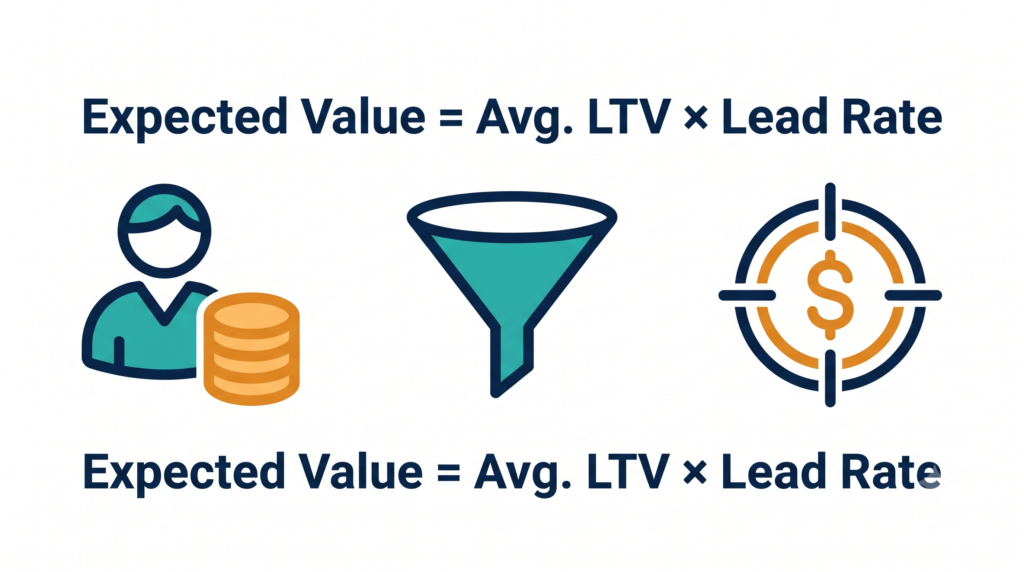
You calculate its Expected Conversion Value using your historical data. Multiply the lifetime value (LTV) of the ultimate goal by the percentage of leads who actually reach that goal:
$$\text{Value} = \text{Average Lifetime Value (LTV)} \times \text{Lead-to-Action Rate}$$
Real-World Valuation Scenarios
- The Email Newsletter Signup:
Look at your CRM data over the past year. Suppose out of every 100 people who subscribe to your newsletter, 5 eventually become financial donors with an average lifetime value of $200.
$$\text{Value} = \$200 \times 0.05 = \$10.00$$
Assigned Signal: Every new newsletter subscriber is assigned a $10.00 value in Google Ads. - The Volunteer Application:
Out of every 10 volunteer applications submitted, 6 people complete onboarding and contribute an average of 15 service hours (valued by Independent Sector at ~$31/hour = $465 in impact value).
$$\text{Value} = \$465 \times 0.60 = \$279.00$$
Assigned Signal: A completed volunteer intake form is assigned a $279.00 value in Google Ads.
3 Steps to Put Value-Scored Bidding into Action
- Clean Up Your Conversion Goals: Go into Goals > Conversions > Summary in Google Ads. Audit every active goal. If you are tracking pageviews or thank-you page loads as primary conversions, change them to Secondary Actions or remove them entirely. Primary goals should only be real, intentional actions. (If your visitors leave before taking these actions, see our guide on The Landing Page Post-Mortem).
- Assign Values in Google Ads: Click into each remaining primary conversion action. Under Value, select “Use different values for each conversion” or “Use the same value for each conversion” and enter the calculated expected dollar amounts.
- Switch to “Maximize Conversion Value”: Give the system about 30 days to collect baseline value data. Once Google builds a history of these signals, update your campaign bidding strategy from Maximize Conversions to Maximize Conversion Value.
Don’t set a strict target ROAS (Return on Ad Spend) right away—let the system adjust for two or three weeks. You’ll quickly notice Google shifting ad impressions away from useless searches and toward terms used by people who actually want to support your mission. If your account is currently paused or struggling with low click volume, read our Emergency Account Recovery Playbook to restore compliance fast.
Frequently Asked Questions
Why does Smart Bidding fail without conversion values?
Smart Bidding algorithms aim to maximize total conversion count at the lowest cost. Without assigned values, Google treats a high-effort donation equal to a low-effort page view, steering your budget toward low-intent clicks.
Can non-monetary actions be assigned dollar values in Google Ads?
Yes. By using historical CRM data to determine what percentage of email leads or volunteer applicants eventually contribute financial or operational support, you can calculate an expected dollar value for non-monetary conversion actions.
What is the difference between Maximize Conversions and Maximize Conversion Value?
Maximize Conversions attempts to generate the highest quantity of conversions regardless of their quality or impact. Maximize Conversion Value optimizes bids to generate the highest cumulative dollar value based on the conversion values you configure.